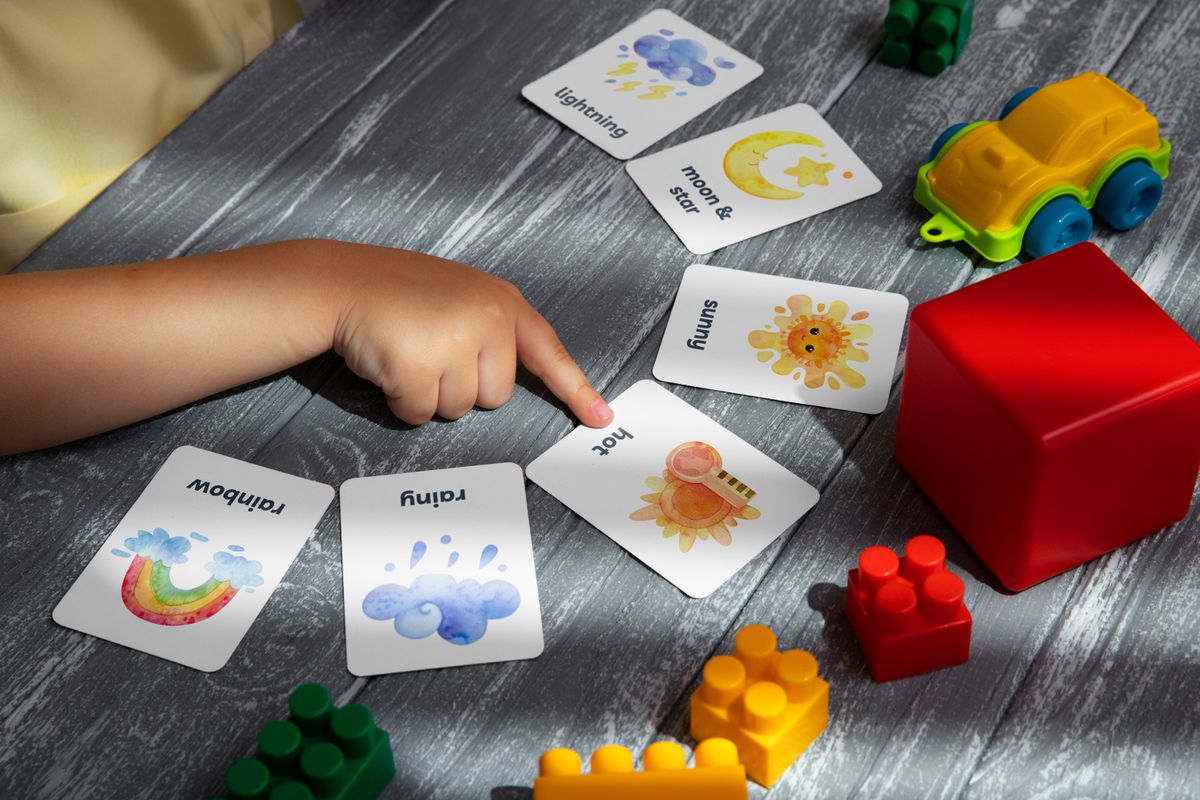
Why flashcards still matter in 2026
I vividly remember cramming for finals at 2am, frantically flipping through stacks of index cards. That's when I discovered the power of flashcards – bite-sized chunks of information that can be digested quickly, even in the most chaotic of moments. Traditional note-taking can feel endless, but flashcards give you a much-needed boost. Modern smartphones turn every commute into a study session, and a good flashcard app can make that time count. When you can swipe through a deck while waiting for coffee, you’re converting idle minutes into grades.
Want to actually study this, not just read it? Turn it into flashcards free - no signup.
Free, no signup: paste any notes into scholar.0xpi.com/flashcard-generator and get a working flashcard set back.
Make free flashcards →ScholarNet AI – The all-in-one free powerhouse
"The most effective teachers are those who see learning as a conversation, not a transmission of information." ~ Donald H. Murray, renowned educator. ScholarNet AI embodies this philosophy, offering a comprehensive suite of features that facilitate learning through AI-generated flashcards, quizzes, a built-in study planner, and an on-demand AI tutor – all without a subscription fee. You upload a syllabus, a PDF, or even a photo of a textbook page, and the AI extracts key concepts, creates spaced-repetition decks, and suggests daily study goals.
Boosting Vocabulary with Flashcards
College students often struggle to expand their vocabulary, which can make it difficult to excel in various subjects, especially in humanities and social sciences. Flashcards can be an effective tool in learning new words and their meanings. When choosing a vocabulary-building flashcard app, consider the following factors: word frequency, definitions, and examples.
Some apps, like Quizlet, offer comprehensive vocabulary databases that cater to students, professionals, and even language learners. Additionally, apps like Chegg Prep provide interactive flashcards that include definitions, synonyms, and sentences with the new word. This multi-step approach helps students not only memorize word meanings but also apply them in context.
One way to take your vocabulary-building efforts to the next level is to create flashcards with personal notes. You can use apps like Flashcards Deluxe to add custom notes, images, and even recordings. This feature allows you to associate new words with personal experiences, making the learning process more engaging and memorable.
For example, if you're studying for an English literature exam and come across the word "perspicacious," you can create a flashcard with the word, its definition, and an example sentence or a personal note: "Remember that detective in the novel? He was indeed perspicacious, noticing even the smallest details."
Enhancing Study Routines with Flashcards
- Create flashcards with key terms and concepts from your lectures to review and recall them during exams.
- Set reminders on your iPhone to review flashcards regularly, ensuring consistent practice.
- Use flashcard apps to create practice quizzes or games with friends, which can make the learning process more enjoyable and competitive.
- Experiment with different study schedules, such as spaced repetition, to optimize your learning efficiency.
Flashcard apps can be integrated into your daily study routine in various ways. For instance, you can dedicate a specific time each day to review flashcards, or you can use the apps to prepare for exams. Some apps, like ScholarNet AI, also employ AI-powered learning algorithms that adapt to your study pace and preferences.
One of the most significant benefits of using flashcards is their ability to break down complex information into manageable chunks. By reviewing and practicing with flashcards, you can reinforce your understanding of key concepts and ultimately achieve better grades.
When combining flashcards with other study tools, you can optimize your learning efficiency and retention. Be sure to explore different apps and features to find what works best for your personal study style.
Customizing Flashcards for Specialized Studies
While many flashcard apps cater to general learners, some apps are designed with specific subjects or fields in mind.
For instance, if you're studying engineering or architecture, you might benefit from Brainscape, which specializes in technical subjects and offers detailed explanations and examples. This app can be particularly helpful for complex topics that require in-depth understanding.
When choosing a flashcard app for specialized studies, consider the following factors: availability of subject-matter experts, quality of content, and user feedback. You can also explore open-source or community-driven projects that prioritize specific subjects or areas of study.
By leveraging flashcard apps tailored to your field of study, you can streamline your learning process and focus on areas that require the most attention. For example, if you're studying nursing, you might prioritize flashcards with definitions related to patient care, medication, and health education.
Ultimately, customizing your flashcards to fit your specialized studies will help you achieve academic success and stay ahead in your field.
Customizing Flashcards for Effective Learning
One of the key benefits of flashcard apps is their ability to be tailored to your specific needs. For instance, ScholarNet AI allows you to adjust the difficulty level of your flashcards and create customized learning paths. This can be especially helpful when studying complex material that requires a nuanced understanding.
When creating flashcards, it's essential to focus on the key concepts you need to remember. Break down larger topics into smaller, manageable chunks, and prioritize the most critical information. This will help you stay focused and ensure you're using your study time efficiently.
Additionally, consider incorporating different formats into your flashcards, such as images or audio clips. Visual and auditory learning can be just as effective as text-based learning, and incorporating these formats can make your study sessions more engaging and memorable.
Using Flashcard Apps to Supplement In-Class Learning
- Use flashcard apps to review material covered in class and reinforce your understanding of key concepts.
- Create flashcards in advance using class notes or assigned readings to stay ahead of the curve.
- Use flashcard apps to quiz yourself and track your progress, helping you identify areas where you need additional support or review.
- Share flashcards with classmates or study groups to collaborate on studying and stay motivated.
Maximizing Efficiency with Flashcard App Features
When it comes to studying with flashcard apps, it's essential to make the most of the features available to you. For example, many apps offer built-in timers to help you stay focused and on track. Some apps also allow you to access study sessions offline, making it easier to study on-the-go.
Another feature to look for is the ability to track your progress and set goals. This can help you stay motivated and see the progress you've made over time. Additionally, consider using flashcard apps that integrate with other study tools, such as calendars or to-do lists, to help you stay organized and manage your time effectively.
By leveraging the features of your flashcard app, you can optimize your studying and make the most of your time – getting better grades without sacrificing your social life or other responsibilities.
Turn This Article Into a Study Session
Paste any topic or syllabus into ScholarNet AI and get quizzes, flashcards, and a personalized study plan — free.
- ✓ Quiz Generator — test what you just learned
- ✓ Flashcard Creator — auto-generates from any text
- ✓ Study Plan Builder — paste your syllabus, get a schedule
- What it does: Generates flashcards from any source, offers adaptive quizzes, tracks progress, and answers subject-specific questions in real time.
- Best for: Students who want a single app that handles card creation, scheduling, and tutoring without paying extra.
- Pricing: Completely free. Optional one-time donation of $5 to support development.
- Pros:
- AI creates cards in seconds, saving hours of manual entry.
- Integrated planner syncs with Apple Calendar.
- AI tutor answers follow-up questions, turning a deck into a dialogue.
- Cons:
- AI occasionally pulls in irrelevant facts from long PDFs.
- No offline mode for AI generation (requires internet).
Organizing Your Study Material with Flashcard Apps
One of the biggest advantages of using flashcard apps is their ability to help you organize your study material. College students often struggle to keep track of multiple study guides, notes, and exams, but these apps allow you to digitalize and structure all your information in a single location. ScholarNet AI, for instance, offers automatic tagging and categorization, which helps students filter and study their notes efficiently.
Another benefit of these apps is the ability to integrate multimedia content, such as images and videos, to your digital flashcards. This can greatly enhance the learning experience, especially for subjects like science and art, where visual aids play a significant role in understanding complex concepts.
When choosing an app, make sure to opt for one that allows you to customize the tags, colors, and layout to suit your study style. This will enable you to quickly locate and review the information you need, reducing study time and stress.
FREE AI STUDY TOOLSTurn This Article Into a Study Session
Paste any topic or syllabus into ScholarNet AI and get quizzes, flashcards, and a personalized study plan — free.
- ✓ Quiz Generator — test what you just learned
- ✓ Flashcard Creator — auto-generates from any text
- ✓ Study Plan Builder — paste your syllabus, get a schedule
Staying Motivated with Reminders and Leaderboards
- Many flashcard apps offer reminders and push notifications to keep you on track with your study schedule.
- Some apps also include leaderboards that enable you to compare your progress with other users, fostering a sense of friendly competition and motivation.
- Additionally, some apps allow you to set specific study goals and track your progress, which can help you stay motivated and focused.
For instance, Quizlet offers a wide range of pre-made sets and games to keep you engaged and motivated. Meanwhile, Chegg Prep allows you to set specific study goals and track your progress, helping you stay on track with your studies.
Remember, staying motivated is key to achieving academic success. By incorporating features like reminders, leaderboards, and customizable goals, these flashcard apps can help you stay on track and reach your full potential.
Advanced Features for Students with Learning DisabilitiesCoping with Stress and Exam Anxiety Using Flashcard Apps
Using flashcard apps can also have a profound impact on mental health, particularly in relation to stress and exam anxiety. These apps allow students to break down complex information into manageable chunks, reducing feelings of overwhelm and anxiety. Furthermore, many apps offer features that help students relax and recharge, such as guided meditations and breathing exercises.
Additionally, some apps, like Brainscape, offer features like Pomodoro timers and interval training, which help students stay focused and avoid burnout. By allowing students to control their study pace and environment, these apps can greatly reduce stress and anxiety associated with exams.
When using flashcard apps to manage stress, it's essential to take regular breaks and prioritize self-care. This can include activities like exercise, meditation, or spending time with loved ones. By combining these strategies with the features offered by flashcard apps, you can maintain a healthy work-life balance and excel academically.
FREE AI STUDY TOOLSTurn This Article Into a Study Session
Paste any topic or syllabus into ScholarNet AI and get quizzes, flashcards, and a personalized study plan — free.
- ✓ Quiz Generator — test what you just learned
- ✓ Flashcard Creator — auto-generates from any text
- ✓ Study Plan Builder — paste your syllabus, get a schedule
Maximizing the Potential of Flashcard Apps with Gamification and Interactions
Using flashcard apps can be a lot more engaging and enjoyable when gamification and social interaction are involved. Many apps, like Quizlet, incorporate games and challenges to keep students motivated and engaged. This can include features like multiplayer modes, leaderboards, and rewards systems.
Additionally, some apps, like Chegg Prep, offer opportunities for students to interact with one another and share advice and study tips. By creating a sense of community and camaraderie, these apps can make studying more enjoyable and help students stay motivated.
When using flashcard apps with gamification and social interaction, remember to find a balance between fun and focus. By combining these features with a structured study routine, you can maximize the potential of these apps and achieve academic success.
Sources & Further Reading
FREE AI STUDY TOOLSTurn This Article Into a Study Session
Paste any topic or syllabus into ScholarNet AI and get quizzes, flashcards, and a personalized study plan — free.
- ✓ Quiz Generator — test what you just learned
- ✓ Flashcard Creator — auto-generates from any text
- ✓ Study Plan Builder — paste your syllabus, get a schedule